 ShieldBrain
How to Stop Doomscrolling: 5 Steps That Actually Work
Quick answer: Doomscrolling isn't a willpower problem — it's a design problem. The reliable fix has five steps: understand the loop, measure your scrolling, block the short-video feeds (not the whole apps), replace the trigger moments, and track your progress weekly. The free Android app ShieldBrain handles the measuring, blocking and tracking.
What is doomscrolling?
Doomscrolling means compulsively scrolling a feed far past the point of enjoyment — checking "one more" video until an hour disappears. The term originally described anxious news-scrolling; today the dominant form is short-form video: Instagram Reels, YouTube Shorts, TikTok, Facebook Reels and Snapchat Spotlight. Typical signs:
- You open an app for one thing and surface 30–60 minutes later.
- You scroll at night knowing it's costing you sleep.
- You can't recall a single video you watched ten minutes ago.
- Long tasks — reading, studying, deep work — feel harder than they used to.
Why your brain can't "just stop"
Short-video feeds combine four mechanisms that neutralise willpower:
- Variable rewards. Every swipe might be amazing. Unpredictable rewards train behaviour more strongly than reliable ones — the same principle as slot machines.
- No stopping cues. The feed never ends, never says "you're caught up", and autoplays the next video.
- Real-time personalisation. The algorithm measures every hesitation and adjusts instantly to whatever holds you.
- Zero effort. One thumb-flick — cheaper than any competing activity.
Against that machinery, "I'll just be disciplined" loses. What wins is structure: change what your phone is capable of, not what you promise yourself.
Step 1: Measure your scrolling for 3–7 days
You can't fix what you don't measure — and everyone underestimates their number. Install ShieldBrain and let its reels counter run silently. It counts every Reel, Short and TikTok across all five platforms and converts the count to minutes ("38 reels ≈ 49 minutes"). Seeing "482 reels today" on your screen is usually the moment the habit stops feeling harmless. More on this: How many reels do you actually watch?
Step 2: Identify your worst feed
ShieldBrain's "Where they went" breakdown shows which app pulls you in — for many people it's not the one they'd guess. Block your worst feed first; momentum matters.
Step 3: Block the feeds — not the apps
Deleting Instagram or YouTube fails for a predictable reason: you need them for messages, tutorials and work, so you reinstall — and the feed returns too. Feed-level blocking removes only the infinite scroll:
- Block Instagram Reels — keep DMs and stories
- Block YouTube Shorts — keep normal videos
- Block TikTok scrolling — keep the app installed
- Block Facebook Reels & Snapchat Spotlight — keep groups and snaps
In ShieldBrain each platform is a single toggle. Block one, or all five for a full reset.
Step 4: Replace the trigger moments
Doomscrolling fills specific gaps: waking up, queues, toilet breaks, the pre-sleep lull. When the feed is blocked those gaps still arrive — decide in advance what fills them: a book app, a podcast queue, a language lesson, or plain boredom (boredom is where attention span regrows). For the full protocol, see the 7-day dopamine detox guide.
Step 5: Track the drop and celebrate it
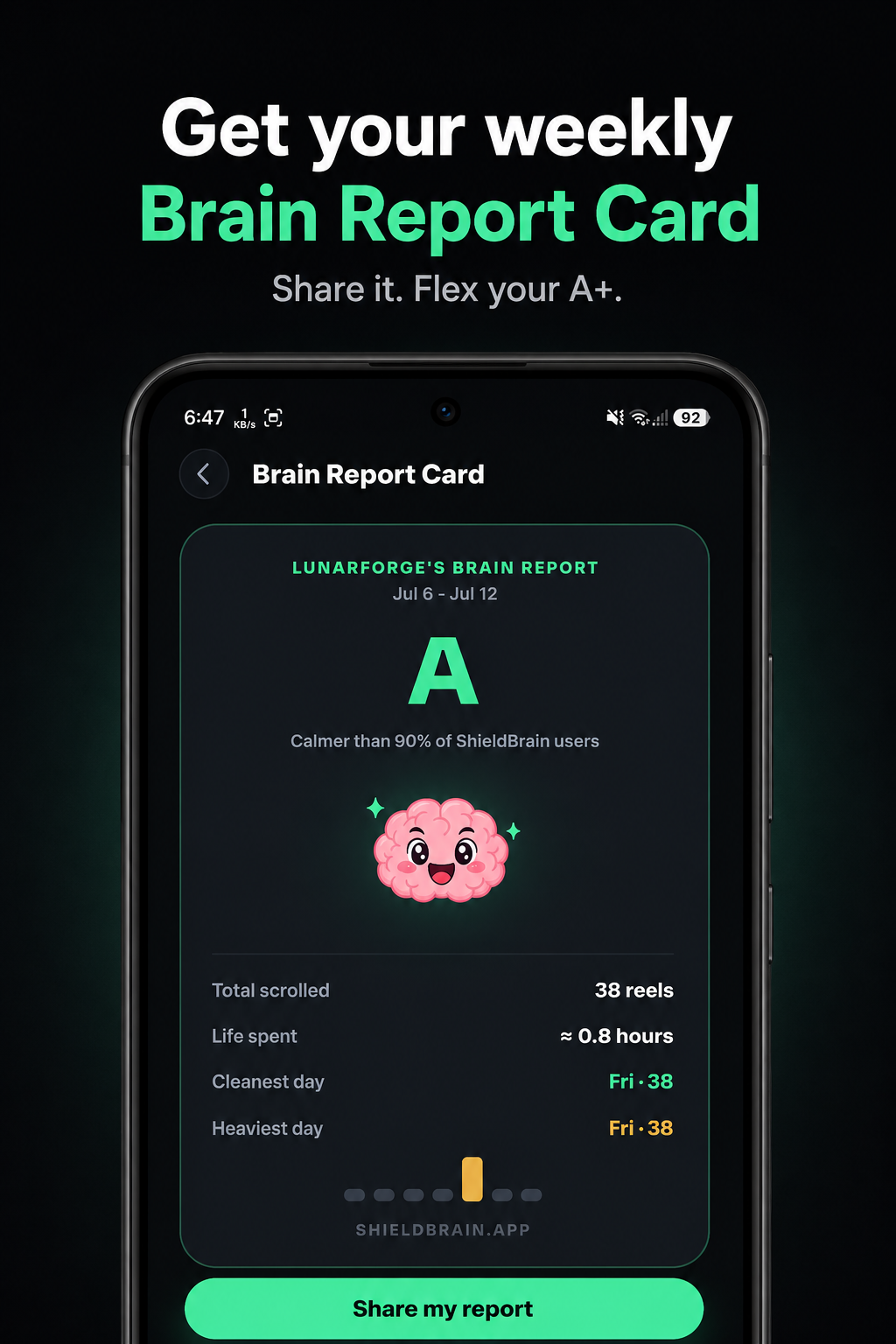
ShieldBrain's weekly Trends chart and Brain Report Card turn recovery into a game: watch the daily count fall, collect a better grade each week, share your A+ with a friend for accountability. Progress you can see is progress that sticks.
What to expect when you stop
- Days 1–3: phantom phone-reaching and restlessness. Normal — it fades.
- Week 1: noticeably easier evenings; falling asleep faster.
- Weeks 2–4: longer reading and focus stretches; 1–3 recovered hours per day that need filling with something you choose.
FAQ
What is doomscrolling?
Compulsively scrolling feeds — especially short-form video — past the point of enjoyment, driven by the feeds' variable-reward design rather than weak willpower.
How do I stop doomscrolling at night?
Block the short-video feeds with ShieldBrain, charge your phone away from your bed, and pre-choose a replacement (book, podcast). Night is when willpower is weakest, so structural blocks matter most.
Is doomscrolling bad for your brain?
Heavy short-form video use is linked to shorter attention spans, worse sleep and higher stress. Most effects improve within weeks of stopping.
Stop scrolling. Start living.
ShieldBrain counts your doomscrolling, blocks the feeds, and shows you the recovery — free, private, Android.
Get ShieldBrain on Google PlayRelated guides: Dopamine detox guide · How many reels do you watch? · Reduce screen time on Android